ekr commander Control Panel
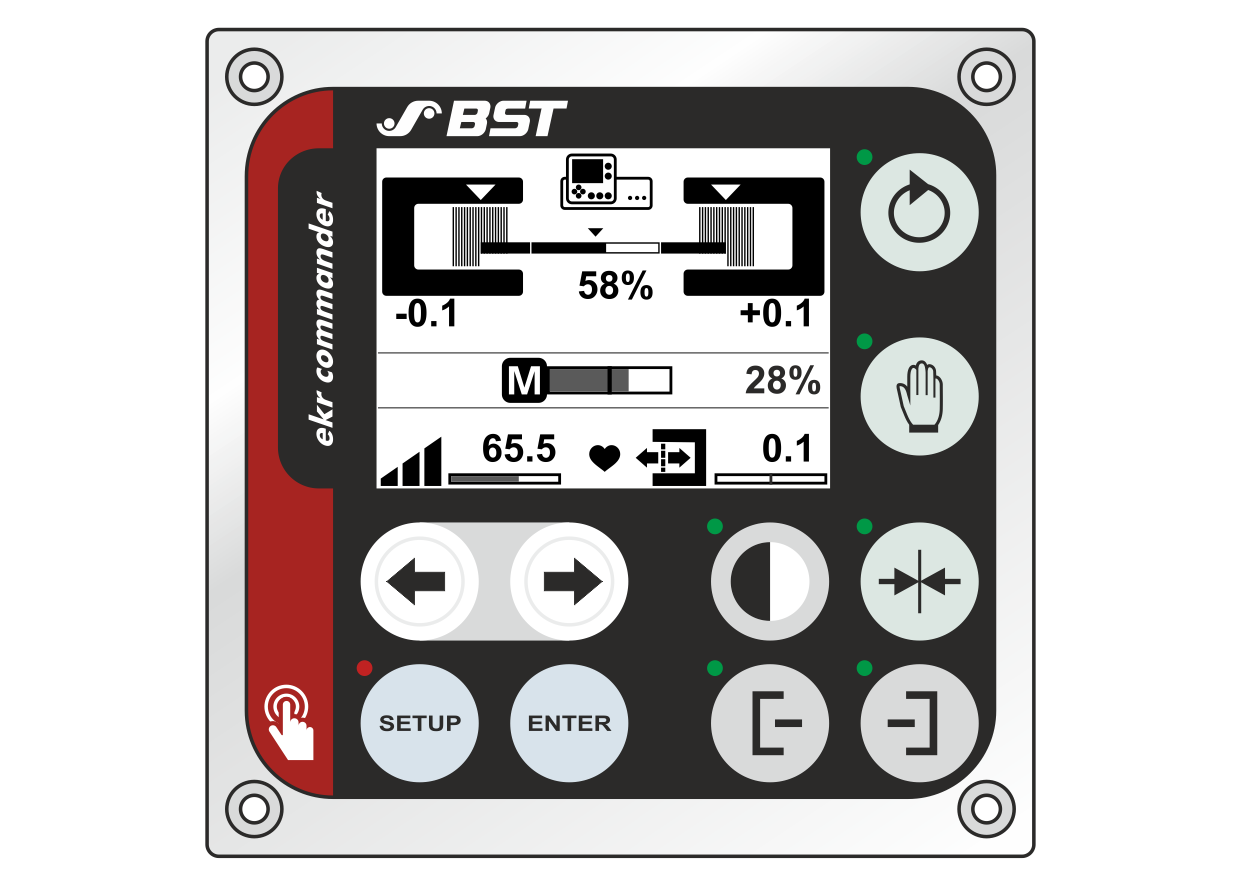
On the control panel you will find all control and display elements that you need for the operation of the web guiding system.
You can find the function of the individual keys in the following table.
Function | Key | Designation | Description |
|---|---|---|---|
Operating mode |
| Automatic | Automatic web guiding |
| Manual mode | Manual positioning of the guiding device | |
| Center positioning | Center positioning of the guiding device | |
Guiding mode |
| Sensor 1 | Guiding to the left web edge |
| Sensor 2 | Guiding to the right web edge | |
|
| Web center-line guiding | |
| Sensor 3 | Line / contrast / feature guiding | |
| Watchdog | Watchdog with sensor 1 | |
| Watchdog | Watchdog with sensor 2 | |
Manual positioning |
| Arrow keys | In manual operating mode: |
Shifting the guiding setpoint |
| Arrow keys | In automatic operating mode: |
Setup mode |
| SETUP | In manual operating mode: In automatic operating mode: |
| ENTER | Accept the set value (gain setting) | |
| Arrow keys | Reduce / increase the parameter value of the gain setting. |