CLS CAM 100 Object Sensor Operation Display (Sensor 3)
The operation display for the CLS CAM 100 object sensor only appears if a corresponding sensor is connected to the controller as sensor 3.
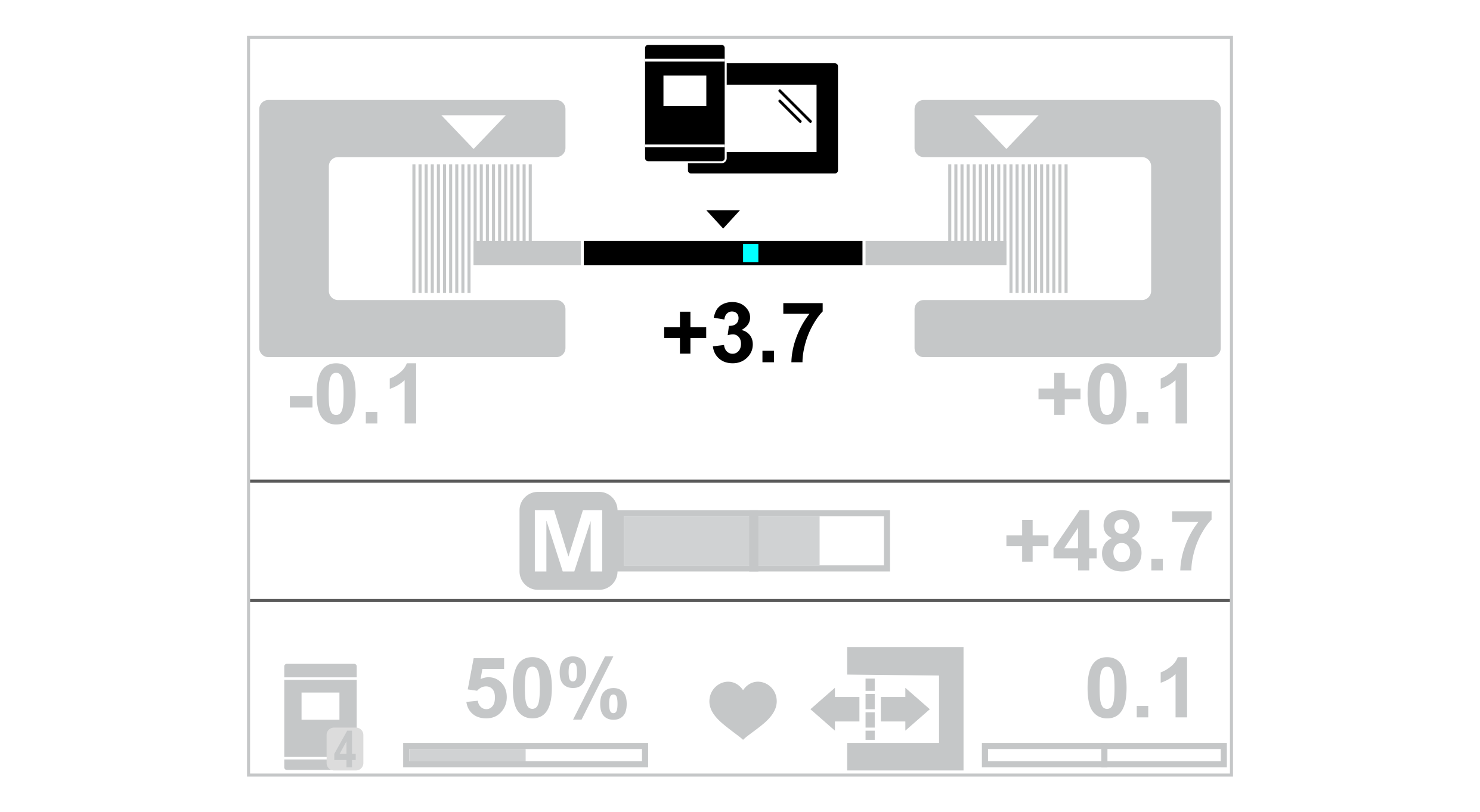
CLS CAM 100 object sensor operation display |
|---|
|
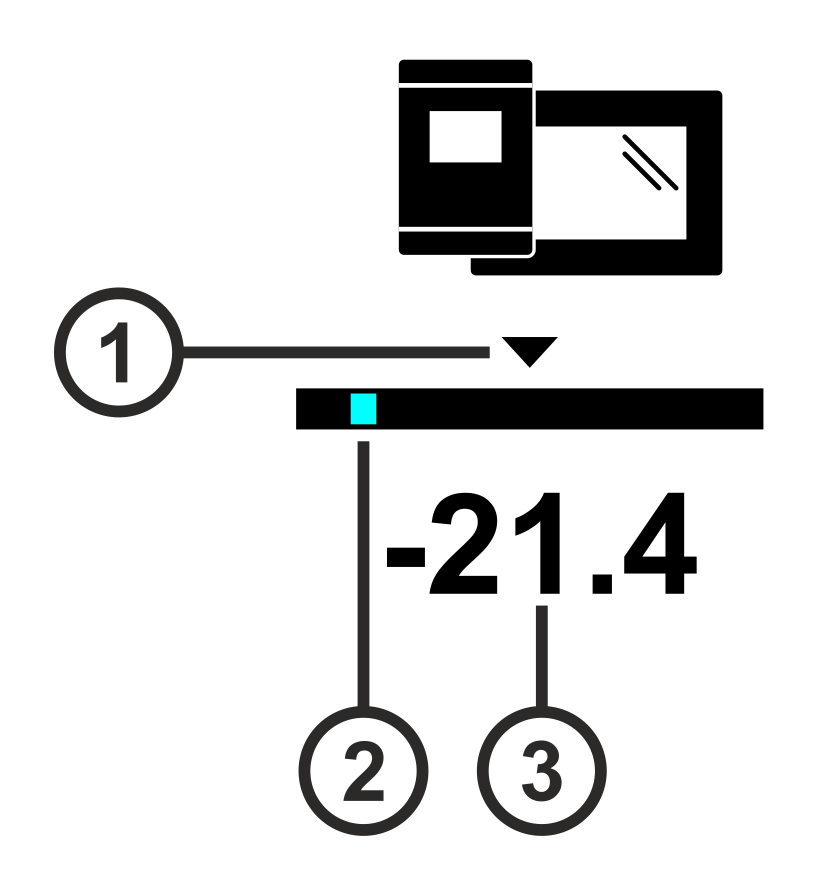
Symbol meanings
① | The triangle marks the guiding setpoint set. |
② | The light blue bar marks the current position of the line, contrast transition or print feature. |
③ | The value specifies the position of the line, contrast transition or print feature within the sensor scanning area. |
Display of the position of the print feature (example)
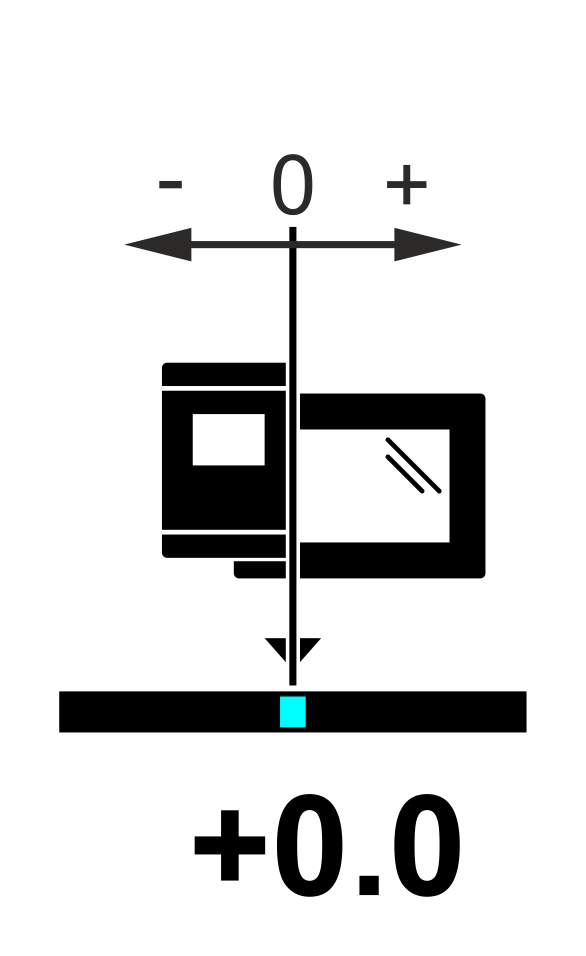
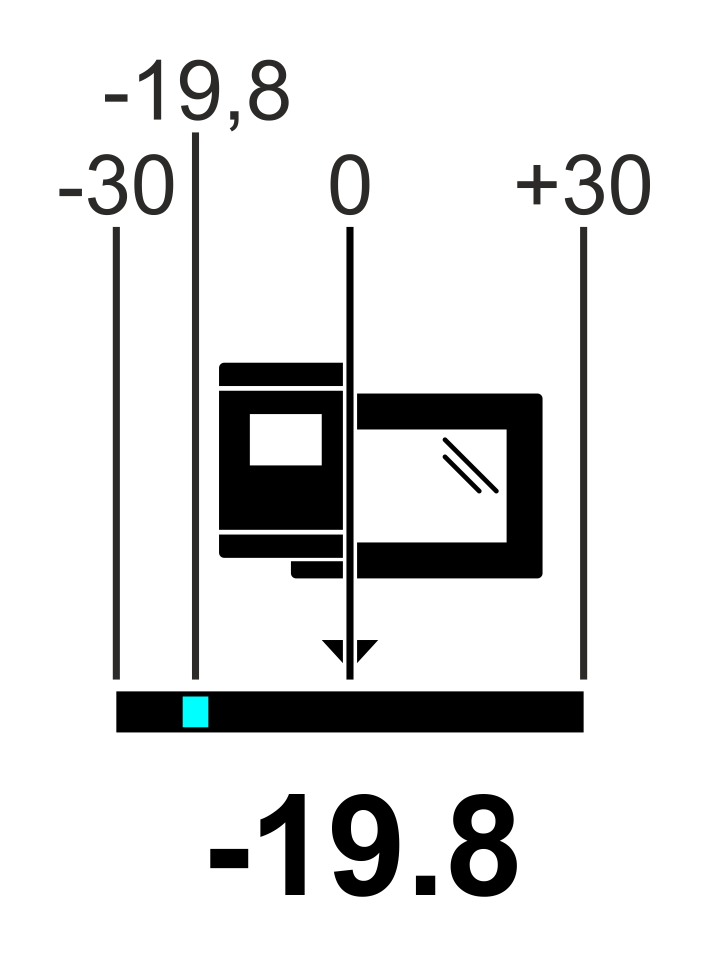
Position of the print feature = 0 | Position of the print feature = -19.8 |
|---|---|
|
|
The print feature is located in the center of the sensor scanning area. | The distance of the print feature to the center of the sensor scanning area is -19.8 mm. |