Restoring Factory Default Settings
When restoring the factory default settings, the values of all guiding parameters (e.g. controller gain, guiding setpoint, bright / dark values of the sensors, etc.) are overwritten by the factory default settings.
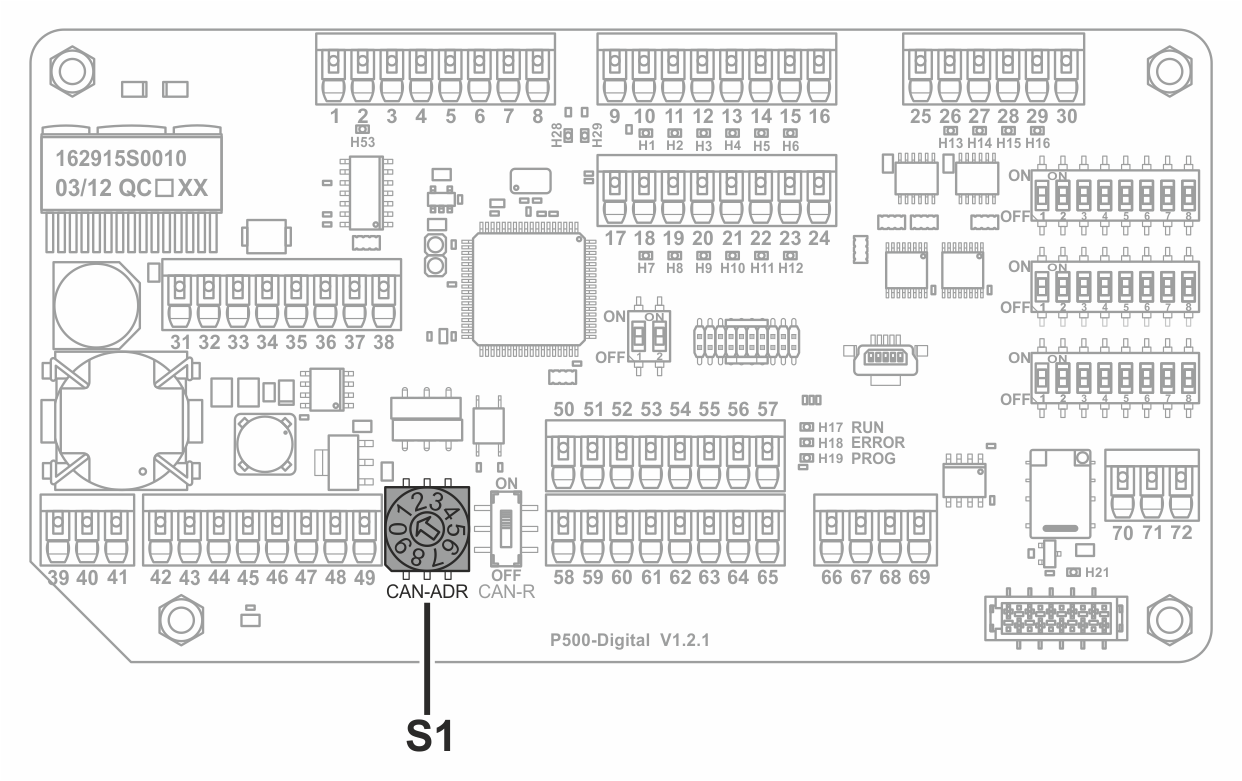
Restoring factory default settings
NOTICE

Damage to the components from working on live parts.
- ▶Before opening the controller, switch off the power supply.
- Electrically isolate the controller.
- Open the controller’s housing cover.
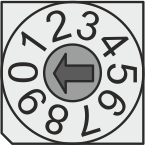
- Set the rotary switch S1 to position 0 on the processor board.
- Switch on the power supply.
- The current values for the different guiding parameters are overwritten by the factory default settings.
- Electrically isolate the controller.
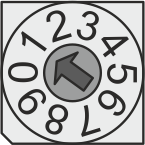
- Set the rotary switch S1 to position 1.
- Close the controller’s housing cover.
- Switch on the power supply.
After restoring factory default settings, it is imperative that the rotary switch S1 be returned to position 1.