Line and Contrast Sensor (Sensor 3)
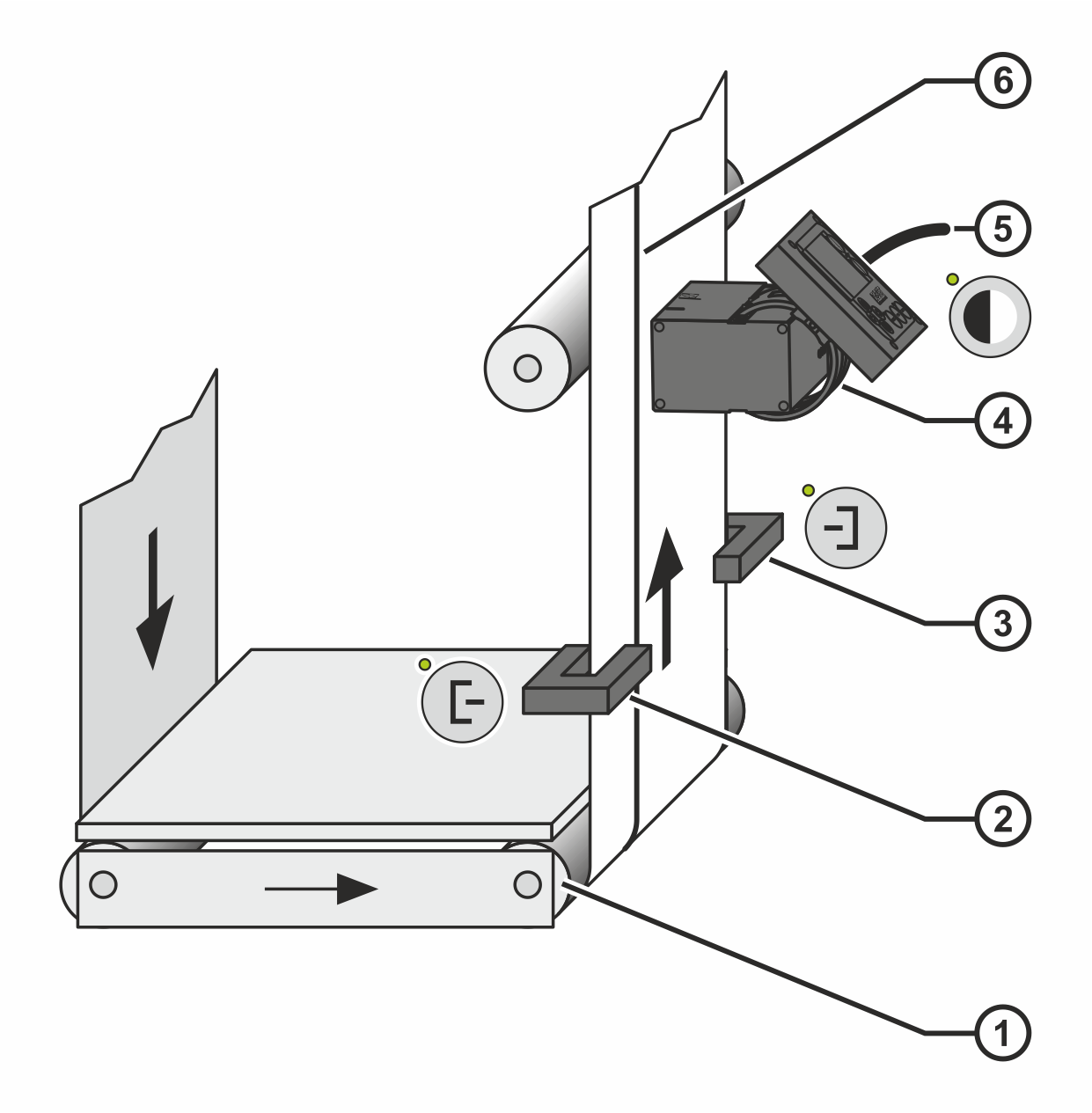
In conjunction with the CLS Pro 600 line and contrast sensor, the controller permits guiding on continuous or interrupted printed lines or contrast edges. In this case, the line and contrast sensor is connected to the controller as Sensor 3.
The following applies for the installation position of the line and contrast sensor:
The connecting cable of the line and contrast sensor pointsin the direction of Sensor 2.
Rotate the smartphone by 90 degrees to show the entire table.
① | Outfeed roll | ④ | Sensor 3 |
② | Sensor 1 | ⑤ | Connecting cable Sensor 3 |
③ | Sensor 2 | ⑥ | Printed line |
In order to achieve optimum guiding results, the distance between the sensors and the outfeed roll ① of the guiding device must be kept as small as possible.