Edge Sensors Operation Display (Sensor 1/2)
The operation displays for sensor 1 and sensor 2 appear only if the respective edge sensors are connected to the controller.
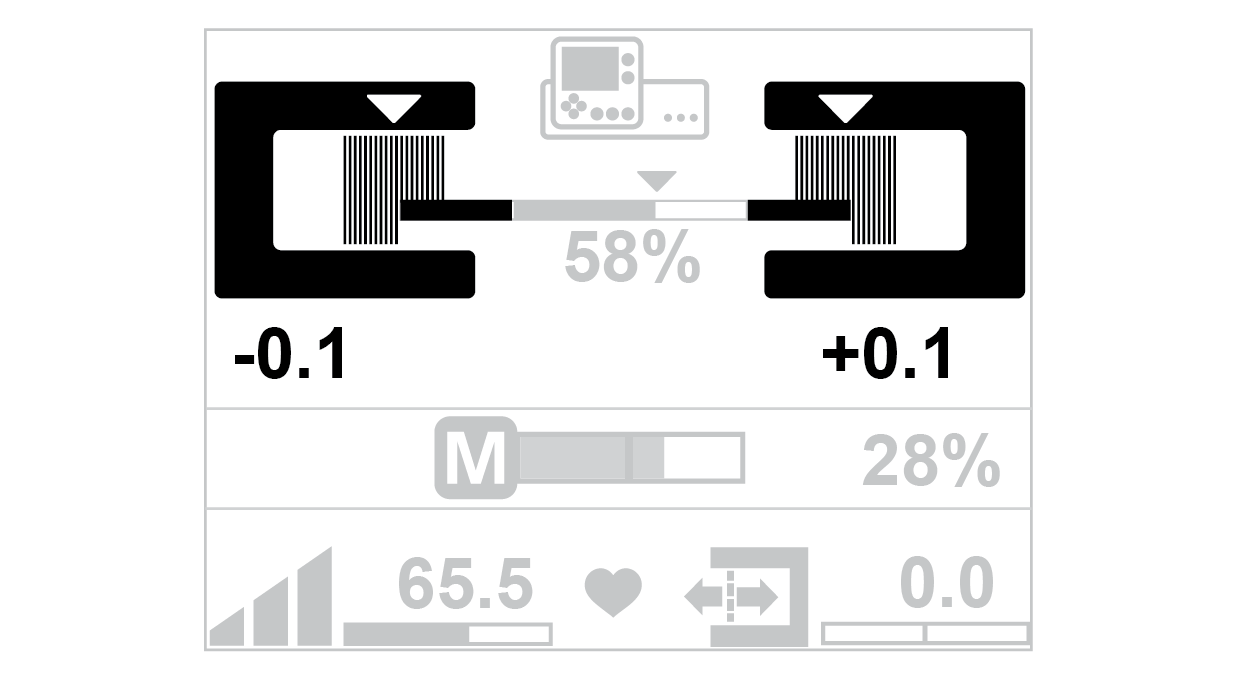
Edge sensor operation display |
|---|
|
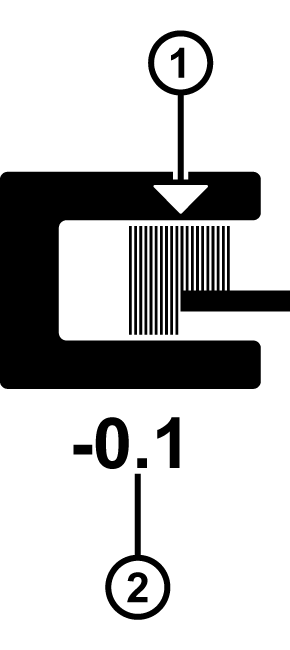
Symbol meanings
① | The white triangle marks the set position of the web edge in the sensor scanning area. |
② | The numeric value indicates the current web edge position. |
Displaying the web position (example)
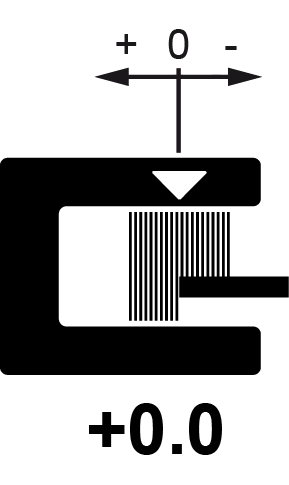
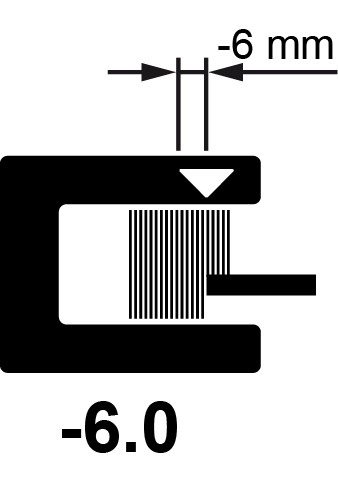
Guiding setpoint = 0 | Guiding setpoint = - 6 mm |
|---|---|
|
|
The web edge is located in the center of the sensor scanning area. | The web edge is displaced by -6 mm from the center of the sensor scanning area. |