Actuator Operation Display
The operation display for the actuator appears only if an actuator with position feedback or a servo centre transducer (OMG 4, OMG 8, CK 37) is connected to the controller.
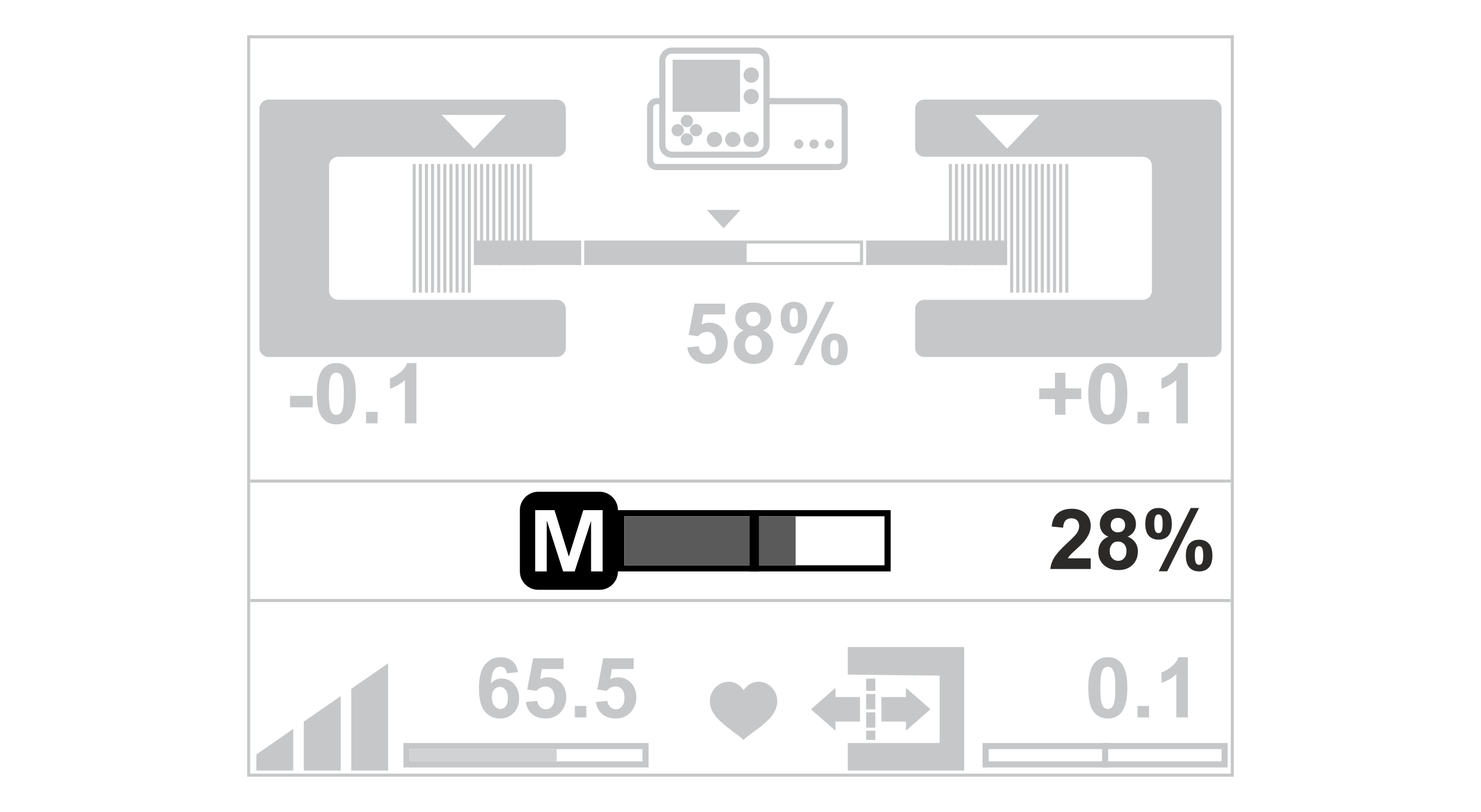
Actuator Operation Display |
|---|
|
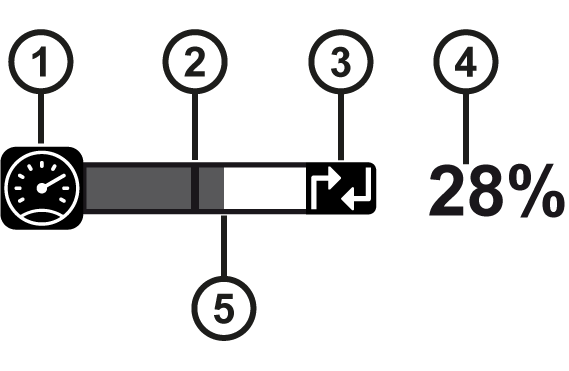
① | The tachometer symbol indicates that the speed-dependent guiding is activated. |
② | The black line marks the zero position of the actuator. |
③ | The symbol indicates that the position control for the actuator is switched on. |
④ | The value specifies the relative position of the actuator in relation to the end positions. |
⑤ | The grey bar marks the current position of the actuator. |
Normalized display of the actuator position
For actuators with position feedback, you can activate a normalized display for the actuator position in the Actuator setting menu of the setup menu. When the normalized display is active, the position of the actuator is shown in the operation display as an absolute value in the units [mm] or [inch].

The procedure for commissioning the normalized display is described in the installation and commissioning manual ekr 500 digital Unit Touch, document number MD.497 .
