Using this function you calibrate the web width measurement.
For the calibration, introduce a piece of material with a known width (reference material) into the measuring range of the edge sensors or CCD camera(s) and determine the material width as reference width.
Introduce the reference material into the measuring range of the edge sensors or CCD camera(s).
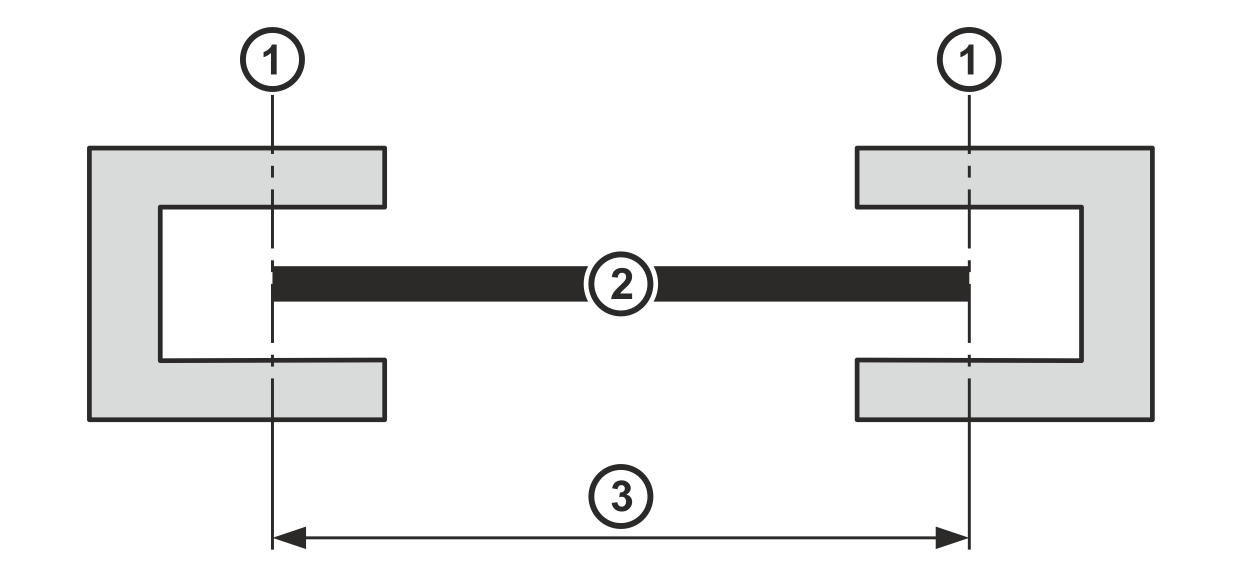
Position the edge sensors such that the reference material covers the measuring range of both sensors up to the halfway point.
Introducing the reference material with edge sensors
Rotate the smartphone by 90 degrees to show the entire table.
①
Center of the sensor measuring range
②
Reference material
③
Reference width
Call up the Web Width Measurement Calibration menu in the setup menu (see Calling up the Setup Menu).
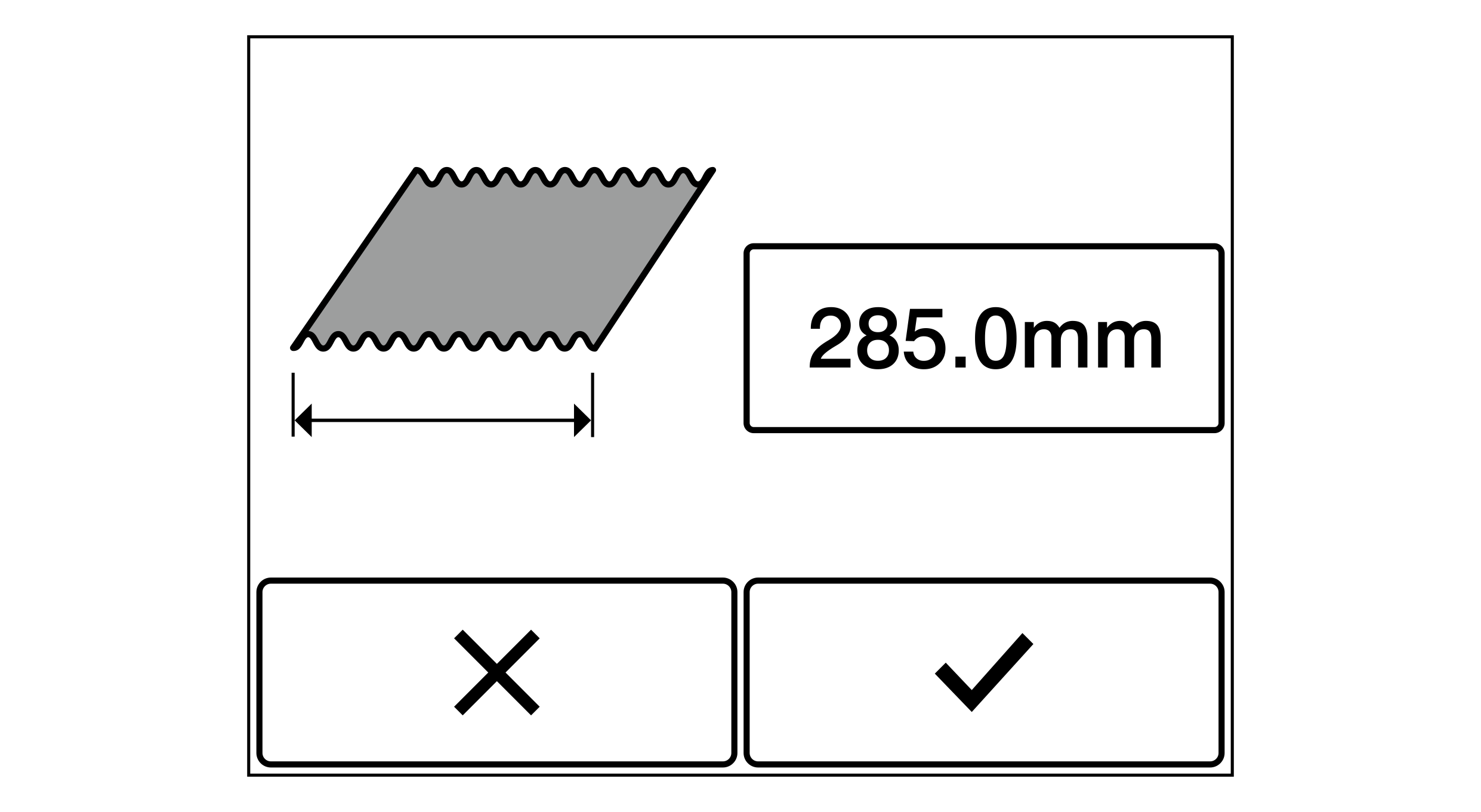
The adjacent window for the input of the reference width is displayed.
The currently set reference width is displayed in the editing field in [mm] or [inch] (in this example 285,0 mm).
Enter the width of the reference material into the editing field.
Confirm your entry with the button.
The set reference width will be accepted.
The calibration of the web width measurement is finished.
The reference width entered is shown as web width in the display.
 button.