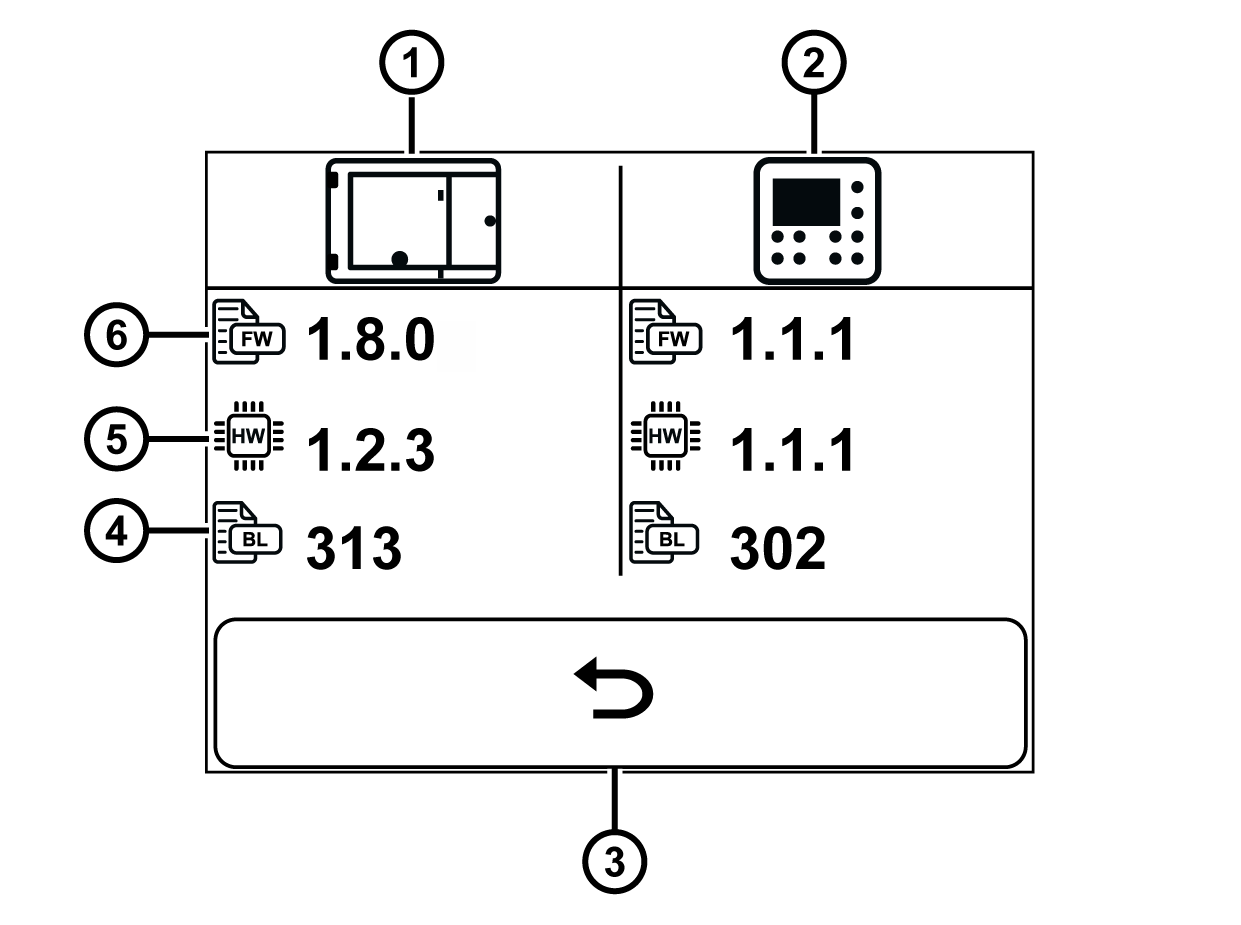
This service display shows the hardware, firmware and bootloader versions installed in the ekr 500 digital Unit Touch controller and the ekr commander control panel.
Display of the system information (example)
Rotate the smartphone by 90 degrees to show the entire table.
①
ekr 500 digital Unit Touch controller
④
Bootloader version
②
ekr commander control panel
⑤
Hardware version
③
Enter button
⑥
Firmware version
If you have a service query for our customer services, please have the installed hardware and firmware versions to hand.
Calling up the service display
Activate the service display System information in the setup menu (see Calling up the Setup Menu).
The hardware, firmware and bootloader versions installed for the controller and control panel are shown in the display.

 button to quit the service display.