Pre-Positioning
This function is used to carry out material web pre-positioning to a position determined by the operator.
WARNING
Risk of crushing from motorized traversing of the sensor slides!
Parts of your body could be crushed, cut or hit.
- ▶Never reach into the traversing area of the sensor slides.
- ▶Before setting up / operating, ensure that no other persons are in the traversing area of the sensor slides.
Pre-positioning in Manual operating mode
- The Automatic setpoint acceptance function is deactivated (see Automatic Setpoint Acceptance).

- The controller is in the Manual operating mode. In this operating mode the sensor slides of the sensor positioner are in the park position.
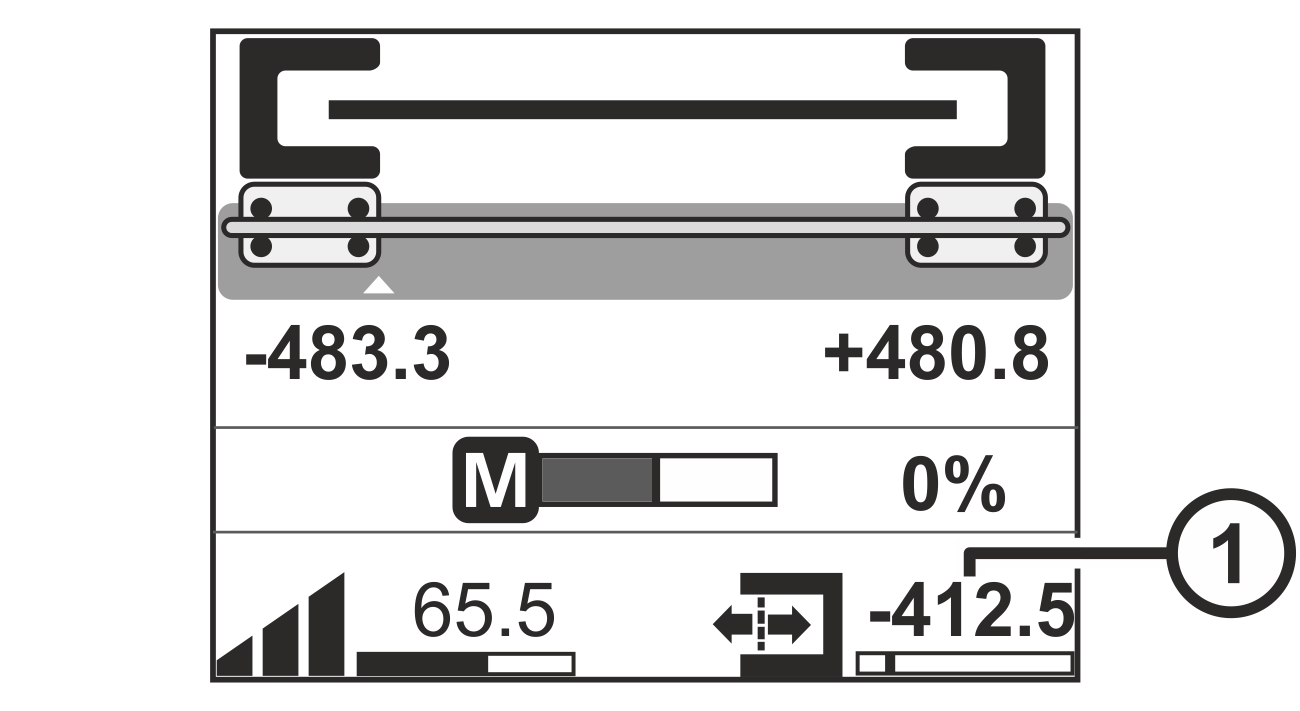
- The display shows the operation display.
- Tap on the value ① displayed for the guiding setpoint in the lower right edge of the operation display.
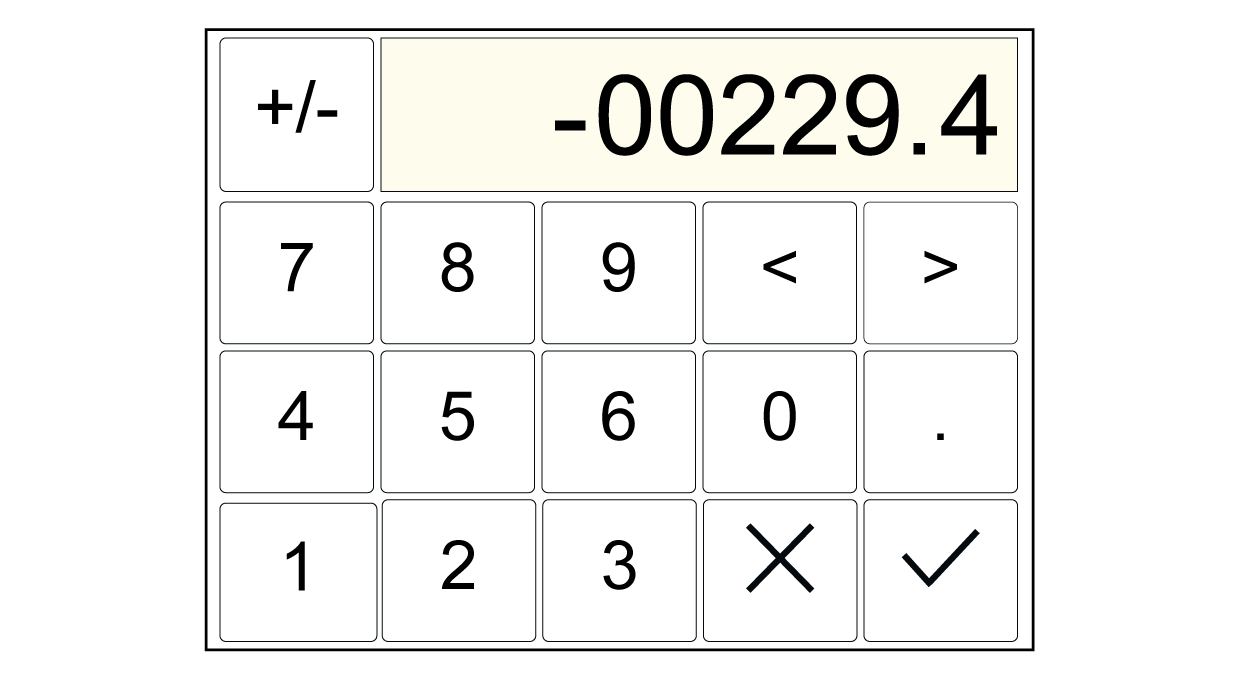
- A numeric keypad is displayed.
- Enter the desired value for the new guiding setpoint for the web of material.
- Confirm your entry with the
button.
- The keypad is closed.

- Activate the Automatic operating mode.
- The sensor slides carry out the automatic edge detection. They move to the web edges and then slowly shift the web of material to the pre-determined position immediately.
Pre-positioning in Automatic operating mode
- The controller is in the Automatic operating mode. In this operating mode the sensor slides of the sensor positioner are in the scanning position (at the web edges).
- The display shows the operation display.
- Enter the desired value for the new guiding setpoint for the web of material as described above.
- Confirm your entry with the
- The keypad is closed.
- The sensor slides slowly shift the web of material to the pre-determined position.