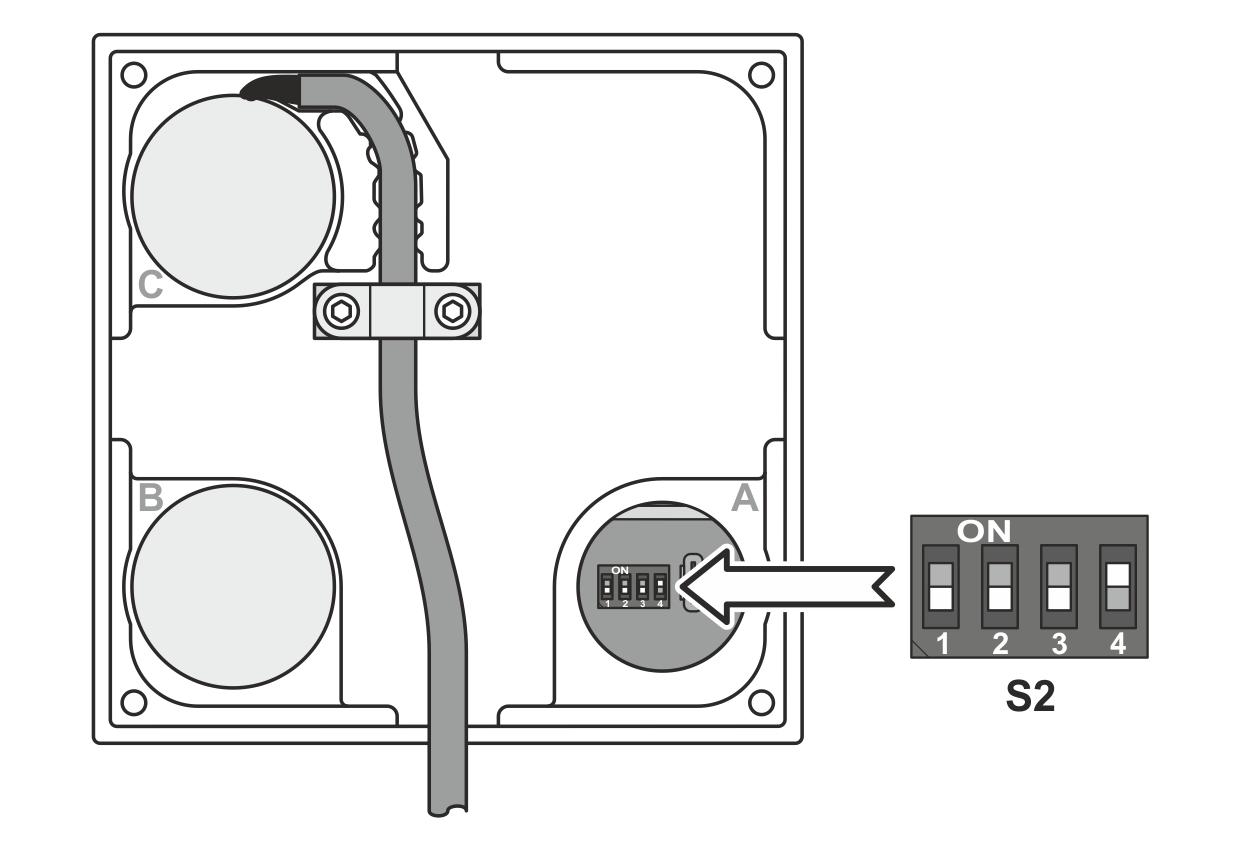
Before commissioning the web guiding system, you must set the DIL switch S2 on the control panel board according to the application. The DIL switch S2 is mounted behind the stopper A on the rear of the control panel.
DIL switch S2 on the control panel board
DIL switch
ekr commander
Control panel of the controller
Additional control panel (remote control)
S2.1
reserved for function enhancements
S2.2
OFF
ON
S2.3
OFF
ON
S2.4
ON
ON
Setting DIL switch S2
NOTICE
Damage to the components from working on live parts.
▶Before opening the housing, disconnect the plug on the connecting cable for the control panel from the controller.
Disconnect the plug on the connecting cable for the control panel from the controller.
Carefully remove stopper A from the rear of the control panel.
Check the correct setting of the DIL switches S2.2 to S2.4 on the control panel board.
If necessary, correct the position of DIL switches S2.2 to S2.4 according to the application.
Re-insert stopper A.
Connect the plug on the connecting cable for the control panel into socket X100 (standard control panel) or X101 (additional control panel).