Saving and Loading the Guiding Setpoint
The memory of the controller allows you to save four different parameter sets for the guiding setpoint, and to re-load them when required. In this way, you reduce the setup time for repeat orders.
In each of the four parameter sets, the controller saves the guiding setpoint for the following guiding modes:
- Web edge guiding with sensor 1
- Web edge guiding with sensor 2
- Web center-line guiding with sensor 1 and sensor 2
- Line / contrast / feature guiding with sensor 3
The number of the current parameter set loaded is shown in the small sensor symbol at the bottom edge of the display.
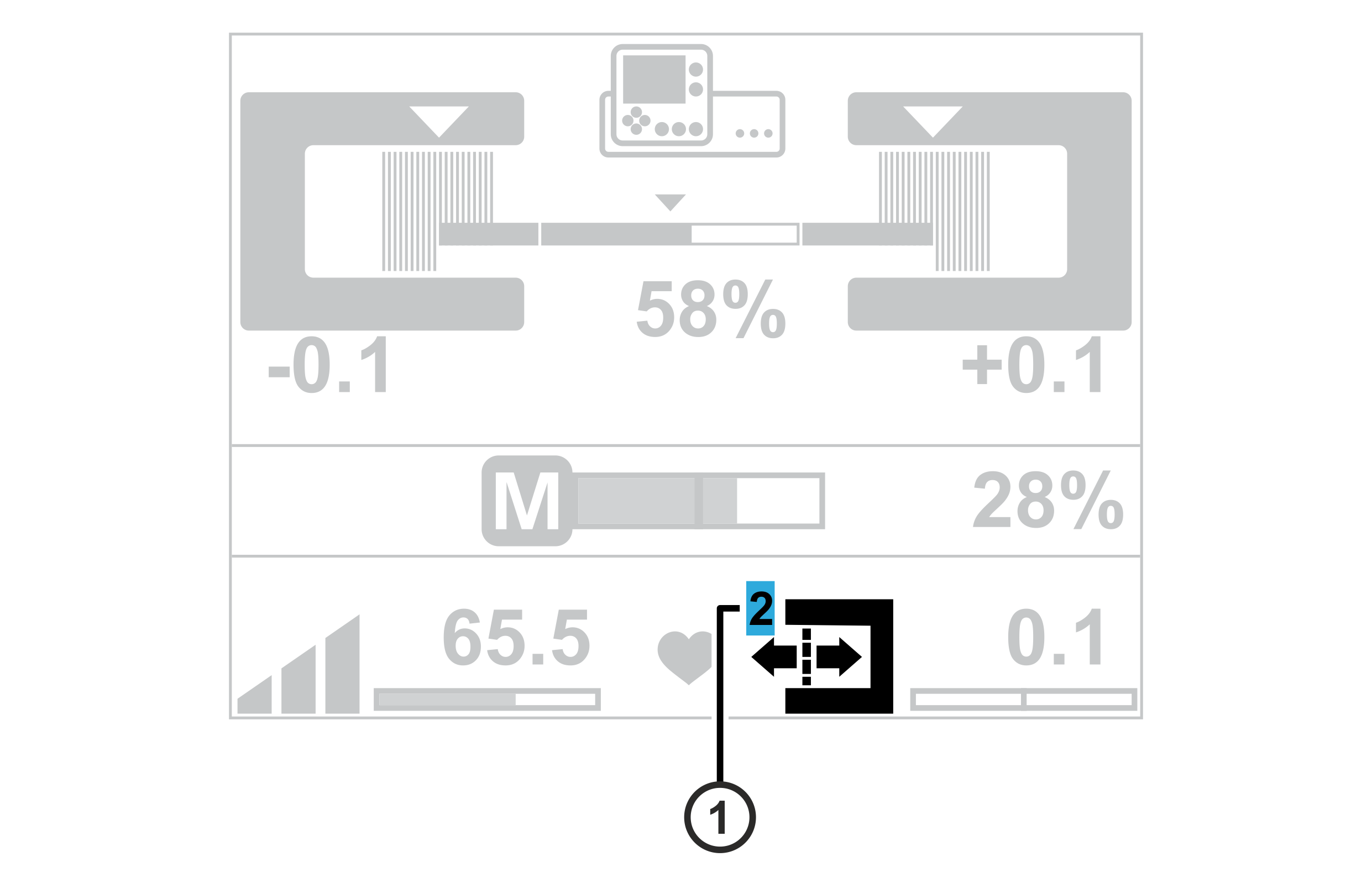
① | Number of the parameter set loaded |
Rotate the smartphone by 90 degrees to show the entire table.
Symbol | Meaning | Note |
|---|---|---|
| Parameter set 1 is loaded | Factory setting |
| Parameter set 2 is loaded |
|
| Parameter set 3 is loaded |
|
| Parameter set 4 is loaded |
|

Loading the guiding setpoint
- »Function table 1 (Table 1) or 4 (Table 4) for the allocation of the digital inputs and outputs is active. For selecting the function table see installation and commissioning manual ekr 500 digital Unit Touch, document number MD.497.
- ▶Select desired parameter set.
- The selection is carried out using an external switch or via a respective remote control signal on terminals 22 and 33 of the controller (see installation and commissioning manual ekr 500 digital Unit Touch, document number MD.497).
Saving the guiding setpoint
- Select desired parameter set.
- The values saved for the guiding setpoint for the guiding mode currently selected are shown in the display.
- Select the desired guiding mode (see Selecting the Guiding Mode).
- Set the guiding setpoint to the new value using the keys of the control panel (see Setting the Guiding Setpoint).
- The new value for the guiding setpoint is automatically saved in the parameter set selected.
