Adjusting the Oscillation Amplitude
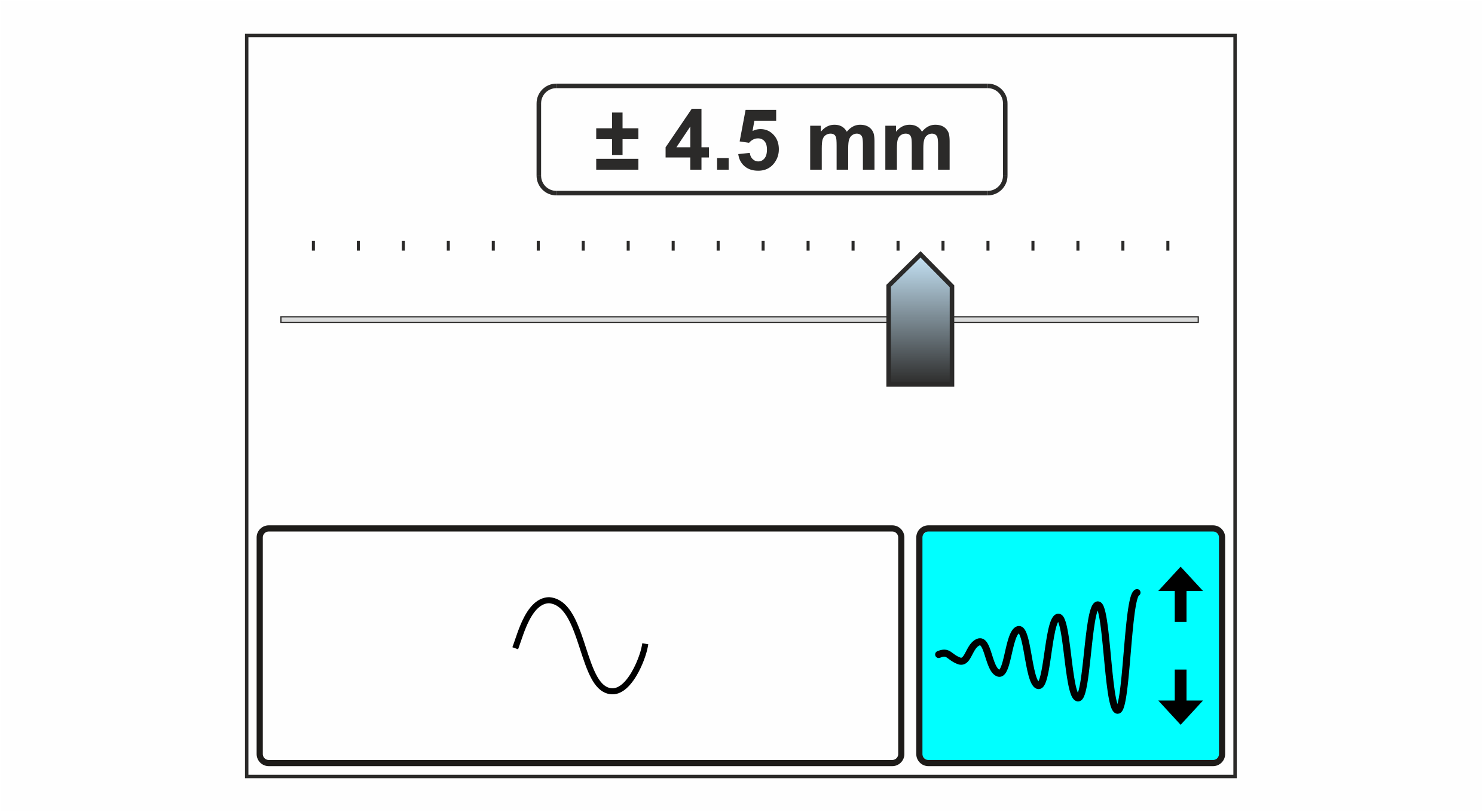
Using the Oscillation Amplitude setting menu you set the amplitude of the oscillation (size of the transverse web displacement) and switch the oscillation on or off.
Adjustment range
The adjustment range for the oscillation amplitude depends on the guiding mode selected and on the sensor used.
Guiding mode | Sensor | Adjustment range |
|---|---|---|
Web edge guiding/ | IR 2011 | 0 … 19.2 mm * (± 9.6 mm) |
IR 2012 | 0 … 12 mm * (± 6 mm) | |
US 2010 | 0 … 9.6 mm * (± 4.8 mm) | |
Line/contrast guiding | CLS Pro 600 | 0 … 12.5 mm (± 6.25 mm) |
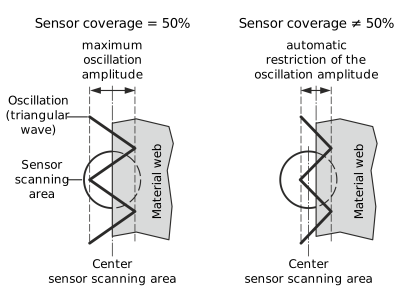
* The specified maximum values for the oscillation amplitude apply for a sensor coverage of 50% and guiding setpoint = 0. In the case of a smaller or larger sensor coverage the oscillation amplitude will automatically be restricted, to ensure that the web edge does not leave the sensor scanning area during oscillation.
Oscillation in the Center position operating mode
In the Center position operating mode of the controller, the oscillation is achieved by the actuator carrying out cyclic actuating movements in both directions originating from its central position (depending on the amplitude and frequency set).

Adjusting the oscillation amplitude

When the oscillation is switched on, the actuator automatically carries out actuating movements. Parts of your body could be crushed, cut or hit.
- ▶Make sure that no persons remain in the vicinity of the pivot / traversing area of machine components that are positioned by the actuator.
- The Oscillation Amplitude setting menu is activated in the setup menu for the configurable displays and setting menus (see Switching the Configurable Displays and Setting Menus On/Off).
- The display shows the operation display.
- Call up the Oscillation Amplitude setting menu using the swiping function (see Switching the Configurable Displays and Setting Menus On/Off).
- The set oscillation amplitude is shown in the display as a numeric value and using a ruler display with slider.
- Set the desired amplitude by entering the corresponding numeric value (see Entering the numerical values via the input keyboard) or using the slide bar (see Editing the numerical values via the slide bar).
- When the oscillation is switched on, the new setting will have an immediate effect on the function.

- Switch the oscillation on or off by tapping the adjacent button.
- When the oscillation is switched on, the button is displayed with a blue background.