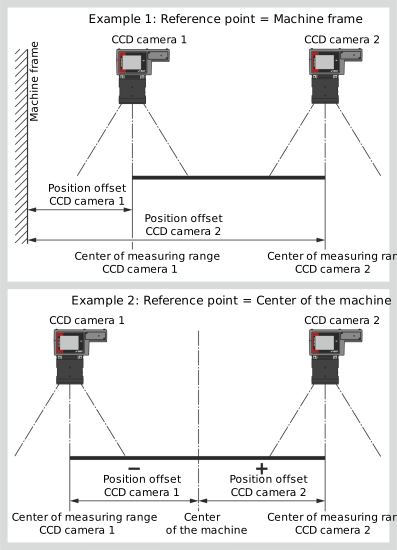
With the position offsets, you can create a reference system with an absolute reference point for the position of the web edges scanned by the CCD cameras. This reference point can be a distinctive point on the machine (e.g. machine wall or center of the machine). The set offset value (position offset) is added to the detected position of the web edge and then results in the absolute distance of the web edge to the reference point selected. This distance is displayed in the operating display under the symbol for the CCD camera.
Examples for the determination of the position offsets
If you use the center of the machine as a reference point (see example 2), a negative position offset results for one CCD camera (in the represented example, CCD camera 1). In this case, the position value of the web edge appears in the operating display with a negative prefix sign. When entering the position offset, it is essential to observe the prefix sign (+/-).
Determining and entering the position offsets
»One or two CCD camera(s) of the CCD CAM 100 type are connected to the controller.
»The CCD cameras connected are in the CCD CAM 100 operating mode (DIL switches S1.1 and S1.2 = OFF).
»On the CCD cameras [µm] is set as unit for the output of the measured values (DIL switch S1.4 = ON).
Activate the Position offset for CCD cameras setting menu in the setup menu (see Calling up the Setup Menu).
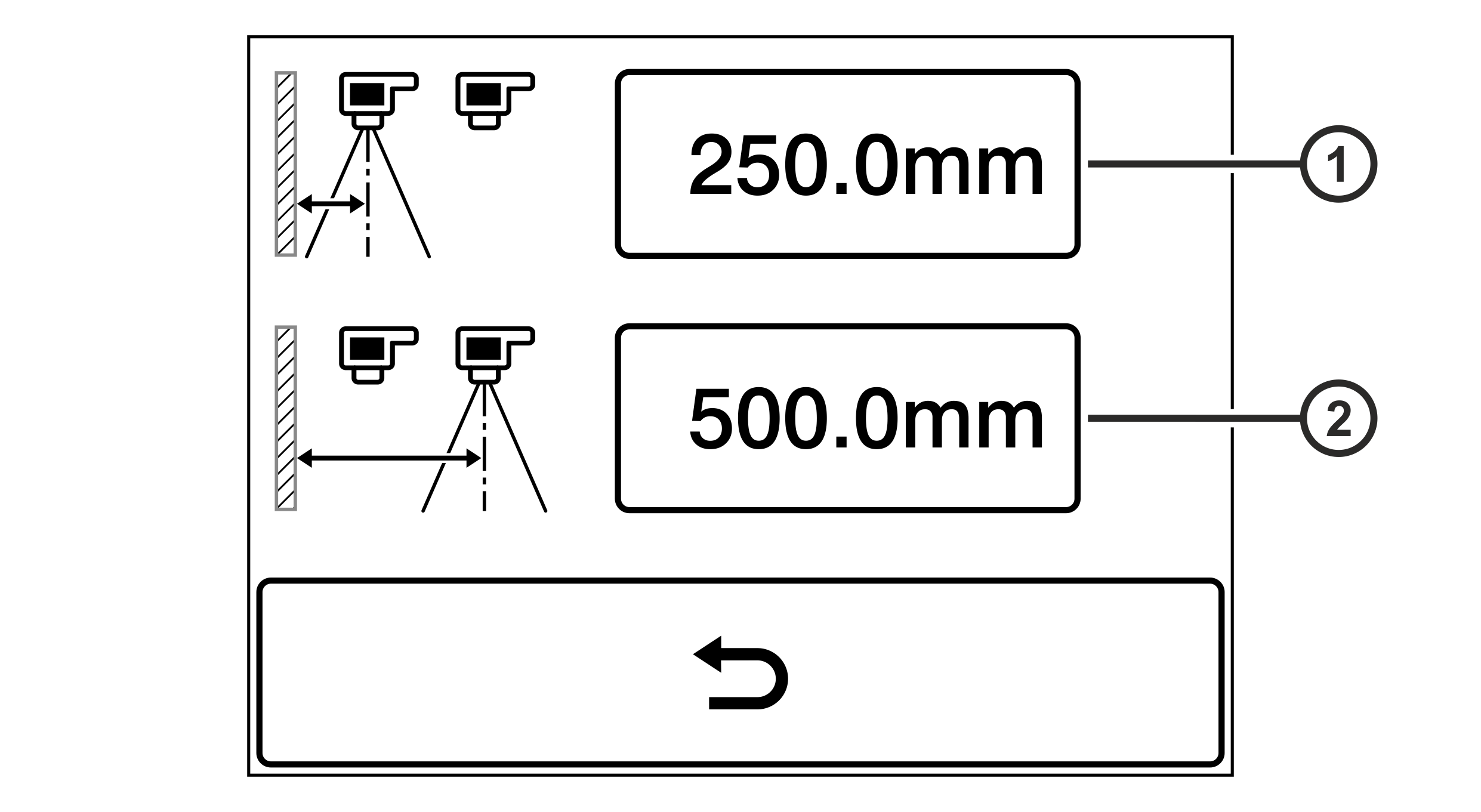
The setting menu for the position offsets is displayed.
Setting menu for the position offsets for CCD cameras
Rotate the smartphone by 90 degrees to show the entire table.
①
Position offset for CCD camera 1
②
Position offset for CCD camera 2
Determine the position offsets for the present CCD cameras.
For this purpose, measure the distance from the center of the camera measuring range to the reference point selected (e.g. machine wall).
Enter the distance value measured into the input field for the respective CCD camera.
Note: Depending on the reference point selected, it may be necessary to enter a negative prefix sign for the distance value determined (see example 2).
 button.