Performing a Material Thickness Compensation
The parameters for the material thickness compensation are entered via a special setting menu.
- »The CCD camera has been calibrated (see CCD Camera Calibration).
- »The calibration template is inserted and is aligned correctly (see Inserting the Calibration Template).

- With a two-camera system, the material thickness compensation must be carried out after each other for both cameras.
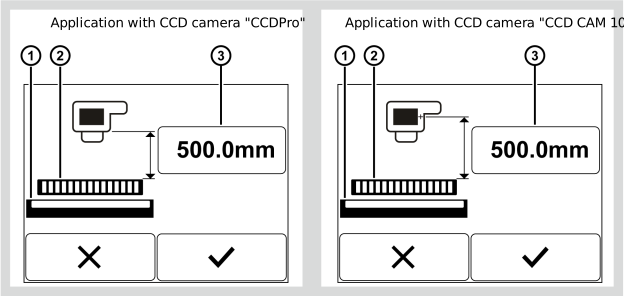
- The following setting menu appears in the display:
Rotate the smartphone by 90 degrees to show the entire table.
① | Distance value set | ③ | Light source |
② | Increment for the entry | ④ | Calibration template |
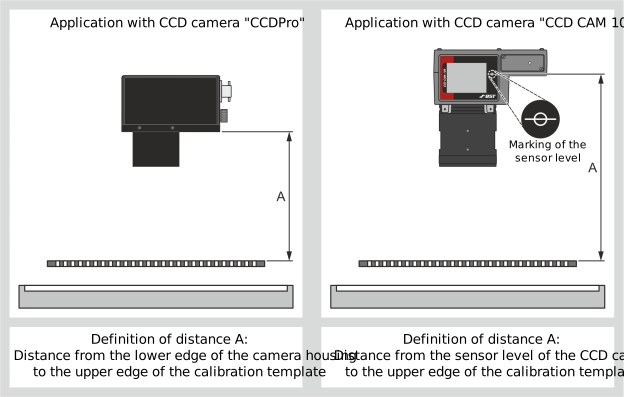
- Determine the distance A of the camera housing to the upper edge of the calibration template.
- Enter the distance value determined into the editing field.
 button.
- The new distance value is saved.
- The following appears in the displayed:
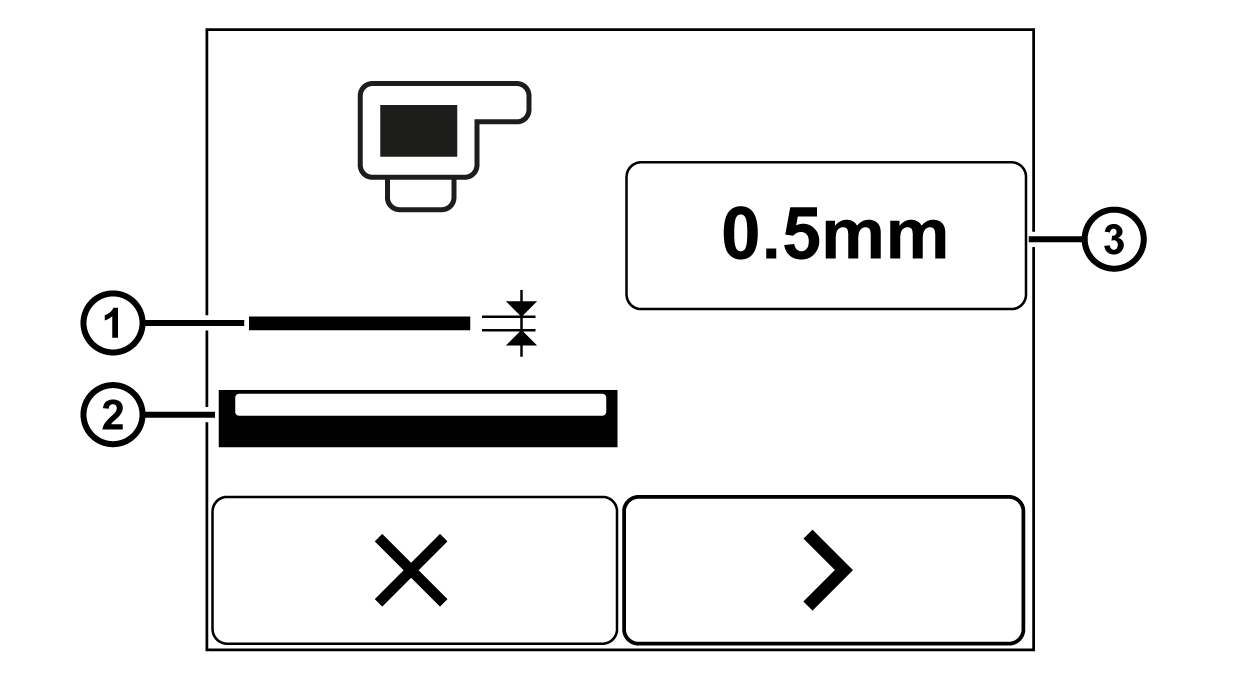
Rotate the smartphone by 90 degrees to show the entire table.
① | Material web | ③ | Material thickness set |
② | Light source |
|
|
- Determine the thickness of the material web to be scanned.
- Enter the material thickness determined into the editing field.
 button.
- The new value for the material thickness is saved.
- The following appears in the displayed:
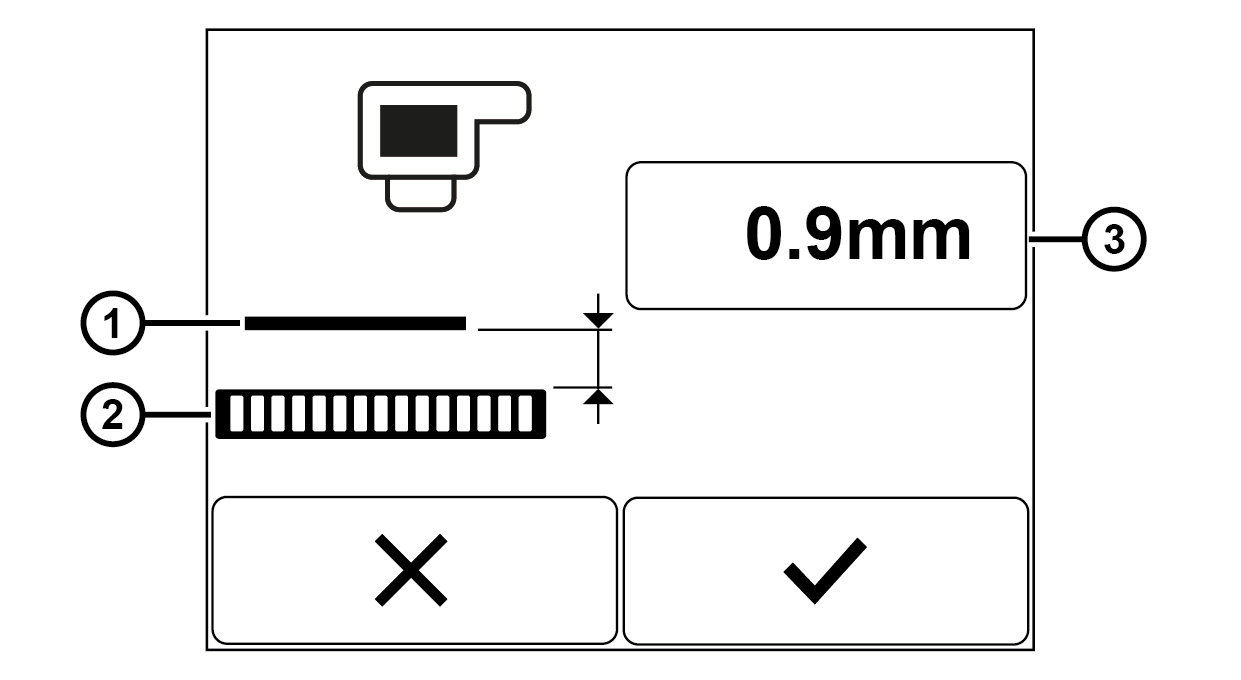
Rotate the smartphone by 90 degrees to show the entire table.
① | Material web | ③ | Distance value set |
② | Calibration template |
|
|
- Determine the distance from the upper edge of the calibration template to the bottom side of the material.
- Enter the distance value determined into the editing field.
- The new distance value is saved.
- The setting menu is closed.
- The setup menu is displayed.
